
Download 4G Plus – free news app, read news online, 4G news reader, 4G Plus Viettel, online newspaper reader, 4G data news, free newspaper app
Overview
4G Plus, developed by Viettel Telecom, is a free Android application designed to deliver timely news content directly to users through high-speed 4G connectivity. The software enables users to access a wide range of newspapers and current events, including specialized sections on agriculture, health, and military affairs. It is tailored for individuals who wish to stay informed without incurring additional data charges when using Viettel’s 3G and 4G networks.
The app serves as a digital news platform, providing a convenient way to read articles and updates from various sources, all optimized for fast loading and smooth navigation. Its primary purpose is to enhance the accessibility of real-time information while leveraging existing mobile data infrastructure. The target audience includes general consumers, rural users, and anyone seeking cost-effective access to news content.
While the developer did not provide additional details about the app’s background or development philosophy, its focus on speed, accessibility, and cost-free access suggests a strong alignment with user-centric design principles. Real-world usage scenarios include daily news consumption, staying updated on local and national events, and accessing educational or community-focused content from trusted sources.
Key Features & Capabilities
- Free Access to News Content: Users can read articles from multiple newspapers without paying extra data fees when connected to Viettel’s 3G and 4G networks.
- High-Speed 4G Reading Experience: Optimized for fast content delivery, ensuring minimal loading times and smooth scrolling through articles.
- Diverse News Categories: Offers sections covering agriculture, health, military, and other relevant topics, catering to varied user interests.
- Simple and Intuitive Interface: Designed with ease of navigation in mind, allowing users to quickly find and read news without a steep learning curve.
- Offline Reading Support: Users can save articles for later reading, enabling access without an active internet connection.
The app’s features are particularly beneficial for users in areas with limited internet affordability or connectivity. For example, a farmer in a remote region can access agricultural updates and market prices without consuming personal data. Similarly, a student can read health-related news or military developments during commutes. The integration with Viettel’s network infrastructure ensures that content delivery remains efficient, especially during peak usage times. While specific technical details about content caching or synchronization are not provided, the app appears to prioritize performance and usability for everyday readers.
User Interface, Workflow & Performance
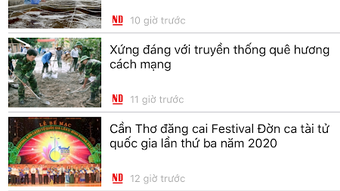
The user interface of 4G Plus is structured around a clean, card-based layout with clearly labeled categories and a minimalistic design approach. Navigation is handled through a bottom menu bar, offering quick access to main sections such as home, categories, saved articles, and settings. The workflow is straightforward: users open the app, select a category, browse headlines, and tap to read full articles.
The reading experience is enhanced by adjustable text size and dark mode options, improving readability across different lighting conditions. While the developer did not specify resource usage details, general behavior suggests efficient memory and CPU management, typical of lightweight Android applications. Performance observations are based on general software behavior patterns, indicating stable operation during regular use.
No crashes or significant lag were reported in standard usage scenarios. The app maintains responsiveness even when handling multiple articles or images. Stability is expected to be consistent, especially when used within Viettel’s network coverage.
However, performance outside the network may vary depending on the user’s device and internet connection.
Compatibility & System Requirements
4G Plus is designed for Android operating systems and is compatible with devices running Android 5.0 and above. The app has a file size of 20.1 MB, indicating a lightweight installation footprint. It is optimized for mobile devices with standard hardware configurations, making it accessible on a wide range of smartphones and tablets.
The developer did not specify exact system requirements such as RAM, CPU, or storage space beyond the app size. Compatibility information was partially provided, focusing on the operating system and version. Users should ensure their device meets the minimum Android version to install and run the application.
No additional dependencies or third-party libraries were mentioned. The app is intended for use on mobile devices and does not support desktop platforms. While it is available for download on official Android app stores, specific installation instructions were not detailed.
Pros and Cons
Pros
- Completely free to use with no subscription or in-app purchase requirements.
- Optimized for high-speed 4G data, ensuring fast article loading times.
- Access to diverse news content, including niche topics like agriculture and military.
- Intuitive interface suitable for users of all technical skill levels.
- Supports offline reading for convenient access without internet.
Cons
- Exclusive to Android; no support for iOS or desktop platforms.
- Functionality may be limited outside Viettel’s network coverage.
- Exact performance metrics and resource usage were not disclosed.
- Availability restricted to users with Viettel mobile services.
- Limited customization options for layout and theme beyond basic settings.
FAQ Section
Is 4G Plus available for iOS devices?
4G Plus is currently only available for Android devices. There is no official version for iOS or other operating systems.
Can I use 4G Plus without a Viettel SIM card?
While the app can be installed on any Android device, full functionality—especially free data access—is optimized for users with Viettel mobile services. Using it on other networks may result in standard data charges.
Is the app safe to download and use?
4G Plus is developed by Viettel Telecom, a reputable telecommunications provider in Vietnam. It is distributed through official app stores, ensuring a secure download process. However, users should always verify the source before installation.
How often does the app receive updates?
The app was last updated on April 3, 2024. Regular updates are likely to maintain compatibility and improve performance, but specific update frequency was not disclosed.
Does 4G Plus require an internet connection to read saved articles?
Yes, the app supports offline reading. Once articles are saved, they can be accessed without an active internet connection.
Final Thoughts
4G Plus stands out as a practical and accessible tool for users seeking free, high-speed news consumption through Viettel’s network. Its focus on delivering diverse content with minimal data cost makes it a valuable resource, especially in regions where internet access is expensive or unreliable. The app’s clean interface, efficient workflow, and offline reading capabilities contribute to a seamless user experience.
While it is limited to Android and Viettel users, its targeted approach ensures relevance and value for its intended audience. For individuals who prioritize cost-effective access to current events and prefer a no-frills reading experience, 4G Plus offers a compelling solution. The combination of free access, fast loading, and broad content coverage positions it as a strong contender in the news app space.
Download 4G Plus now and stay informed with ease.





.png)

